Building a Trie-Powered Autocomplete with React
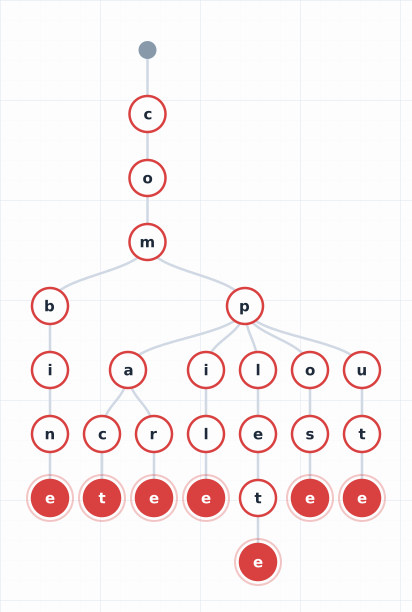
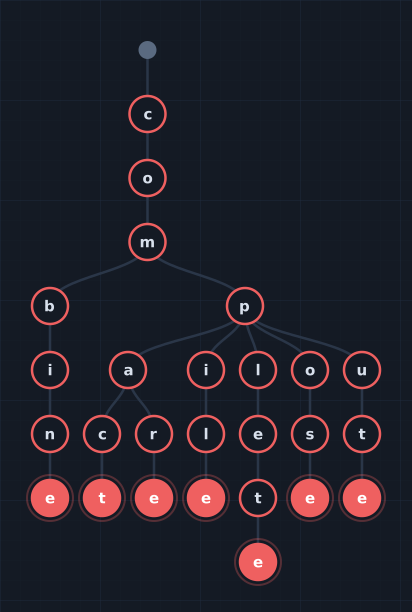
Throughout this series, we’ve built a trie from scratch (Part 1), visualized it with D3, and used it to scan text for patterns. Now let’s use it for the most visible application of prefix trees: autocomplete.
You’ve used autocomplete a thousand times — in search bars, address fields, IDE code completion. Every time you type a character and suggestions appear, something is searching a dataset for matches. The question is how.
The Usual Approach (and Its Problems)
Most React autocomplete components work like this:
const suggestions = items.filter(item =>
  item.toLowerCase().startsWith(query.toLowerCase())
);
This is Array.filter() with startsWith(). It’s O(N) per keystroke — it scans every item in the list. Fine for 100 items. Noticeable at 10,000. Unusable at 100,000.
Some libraries solve this with debouncing (wait 300ms after the last keystroke before searching) or server-side search (send each query to an API). Both add latency. The user types, waits, sees results. It works, but it doesn’t feel instant.
A trie makes it feel instant because it is instant.
Why a Trie Is Perfect for Autocomplete
A trie search for prefix “car” does exactly three operations: follow the “c” edge, follow the “a” edge, follow the “r” edge. Then collect everything below that node. The search time is O(L) where L is the prefix length — not the dictionary size.
Whether your dictionary has 100 entries or 100,000, typing “car” takes the same three steps to find the right subtree. The only variable is how many matches exist below that node, and you can cap that with a limit parameter.
This means:
- No debouncing — search on every keystroke, it’s fast enough
- No server round-trip — the trie lives in the browser
- No loading states — results appear as you type
- Works offline — the dictionary is downloaded once
Try it yourself — this demo fetches the entire system dictionary (~236,000 words, ~900 KB gzipped over the wire), builds a trie in the browser, and lets you search it side by side with Array.filter(). Type the same prefix in both boxes and compare the search times:
The trie search is measured in microseconds. The Array.filter() approach scans all 236,000 entries on every keystroke — try a short prefix like “s” or “a” and watch the time difference. That’s O(L) vs O(N) in action.
The Trie for Autocomplete
The autocomplete trie is slightly different from the scanning trie in Part 3. Instead of finding all occurrences of patterns in text, we need to find all words that start with a prefix. And we want them ranked.
interface TrieEntry<T> {
  text: string;    // The complete word/phrase
  score: number;   // For ranking (higher = better)
  data?: T;        // Optional associated data
}
The search algorithm: walk the trie to the prefix node, then collect all entries in the subtree below it, sort by score, and return the top N.
search(prefix: string, limit = 10): TrieEntry[] {
  // Walk to the prefix node
  let node = this.root;
  for (const char of prefix.toLowerCase()) {
    if (!node.children.has(char)) return [];
    node = node.children.get(char)!;
  }

  // Collect all entries in the subtree
  const results: TrieEntry[] = [];
  const collect = (n: TrieNode) => {
    results.push(...n.entries);
    for (const child of n.children.values()) collect(child);
  };
  collect(node);

  // Sort by score, return top N
  return results
    .sort((a, b) => b.score - a.score || a.text.localeCompare(b.text))
    .slice(0, limit);
}
The walk is O(L). The collection depends on how many matches exist, but with a reasonable limit, we stop early. In practice, even with 100,000 entries, this completes in under a millisecond.
The React Component
The TrieAutocomplete component wraps the trie in a React-friendly API:
import { TrieAutocomplete } from '@tristanreid/react-trie-autocomplete';

function App() {
  return (
    <TrieAutocomplete
      items={['New York', 'New Orleans', 'New Delhi', 'Newark', 'Newport']}
      placeholder="Search cities..."
      onSelect={(entry) => console.log('Selected:', entry.text)}
    />
  );
}
Type “New” and all five cities appear. Type “New Y” and only “New York” remains. The trie is built once (via useMemo when items changes) and searched on every keystroke.
Three ways to provide data
The component accepts data in three forms:
// 1. Simple strings
<TrieAutocomplete items={['cat', 'car', 'card']} />

// 2. Entries with scores (higher score = ranked higher)
<TrieAutocomplete entries={[
  { text: 'Python', score: 0.95, data: { id: 1 } },
  { text: 'JavaScript', score: 0.90, data: { id: 2 } },
]} />

// 3. Pre-built trie (for sharing across components or large datasets)
const trie = AutocompleteTrie.fromStrings(hugeWordList);
<TrieAutocomplete trie={trie} />
Keyboard navigation
The component implements the full WAI-ARIA combobox pattern:
- Arrow Down/Up: navigate the suggestion list
- Enter: select the highlighted suggestion
- Escape: close the dropdown
Controlled and uncontrolled
Like standard React form elements, the component works both ways:
// Uncontrolled — manages its own state
<TrieAutocomplete items={items} onSelect={handleSelect} />

// Controlled — you own the value
const [value, setValue] = useState('');
<TrieAutocomplete
  items={items}
  value={value}
  onChange={setValue}
  onSelect={(entry) => setValue(entry.text)}
/>
How Much Data Can You Send?
A reasonable question: if the trie lives in the browser, you’re downloading the entire dictionary. How big is that?
For typical entity catalogs:
- 1,000 entries (~100 city names with metadata): ~15 KB gzipped
- 10,000 entries (~country/city database): ~120 KB gzipped
- 100,000 entries (large product catalog): ~1.2 MB gzipped
For comparison, a typical React bundle is 40–150 KB gzipped. A dictionary of 10,000 entries adds less than a single hero image.
The trie itself is even more memory-efficient than a flat array because shared prefixes are stored once. 10,000 city names that mostly start with common prefixes (“San “, “New “, “Saint “) might have 80,000 total characters but only 45,000 trie nodes.

How much further could you compress this? We explore that question — with surprising results — in Part 6.
Open Source
This post accompanies the release of four open-source packages:
trie-match (Python)
pip install trie-match
Multi-pattern text scanning. Pickle-serializable for PySpark broadcast:
from trie_match import Trie

trie = Trie.from_patterns(["New York", "Los Angeles"], case_sensitive=False)
matches = trie.find_all("Flight from New York to Los Angeles")
trie-match (Scala)
libraryDependencies += "com.tristanreid" %% "trie-match" % "0.1.0"
Same API in Scala, designed for Spark broadcast variables:
import com.tristanreid.triematch.Trie

val trie = Trie.fromPatterns(List("New York", "Los Angeles"))
val broadcastTrie = spark.sparkContext.broadcast(trie)
@tristanreid/trie-viz (npm)
npm install @tristanreid/trie-viz d3
The D3 trie visualizer from Part 2, packaged for reuse:
import { TrieVisualizer } from '@tristanreid/trie-viz';

const viz = new TrieVisualizer(document.getElementById('container')!);
await viz.addWordsAnimated(['cat', 'car', 'card', 'cart']);
@tristanreid/react-trie-autocomplete (npm)
npm install @tristanreid/react-trie-autocomplete
The autocomplete component from this post:
<TrieAutocomplete
  items={cities}
  placeholder="Search..."
  onSelect={(entry) => navigate(`/city/${entry.text}`)}
/>
The Series So Far
- What Is a Trie? — The data structure, from intuition to implementation
- Building an Interactive Trie Visualizer with D3 — How the animated visualization works
- Scanning Text with a Trie — Multi-pattern matching, word boundaries, overlap resolution
- Broadcasting a Trie in Spark — The distributed computation pattern
- Building a Trie-Powered Autocomplete with React — You are here
- Shrinking the Trie for the Wire — Can a custom format beat gzip? We measured.
The trie started as a simple tree for storing strings. It became a visualization, a text scanner, and now a UI component. In Part 4, it scales to a fleet of machines scanning millions of documents in parallel. In Part 6, we ask whether a custom wire format can beat gzip — and learn something about the limits of clever compression.
Previous: Scanning Text with a Trie