Scanning Text with a Trie
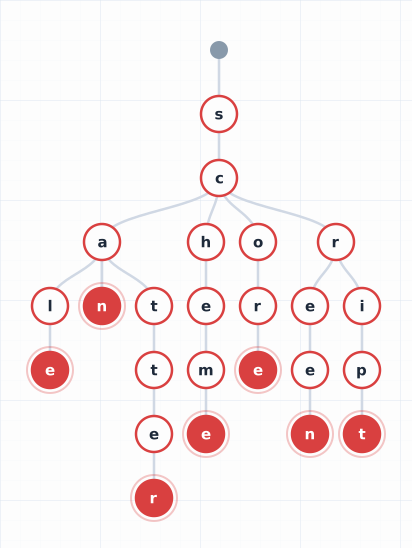
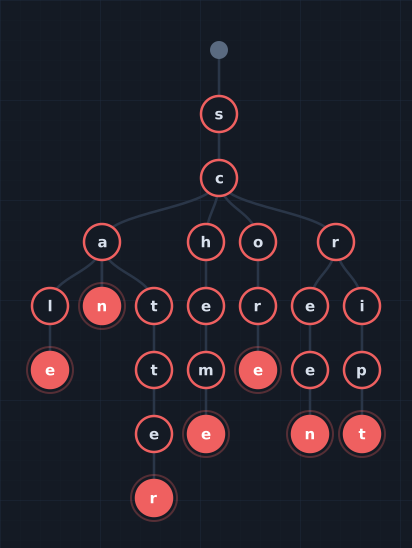
We’ve built a trie and visualized it. Now let’s put it to work on its killer application: multi-pattern text scanning.
The problem: you have a dictionary of patterns — city names, product names, banned words, entity labels — and a block of text. Find every pattern that appears, and report where.
This is the problem that autocomplete, content moderation, entity detection, and spell-checking all reduce to. And a trie solves it elegantly: load the dictionary once, then scan any text in a single pass.
Try it:
The Naive Approach
The simplest way to find multiple patterns in text: check each pattern individually.
def find_all_naive(patterns, text):
    matches = []
    for pattern in patterns:
        start = 0
        while True:
            idx = text.find(pattern, start)
            if idx == -1:
                break
            matches.append((pattern, idx, idx + len(pattern)))
            start = idx + 1
    return matches
If you have M patterns of average length L in text of length N, this is O(M × N) in the worst case — you scan the entire text once per pattern. With 100,000 entity names and a 10-page document, that’s a lot of redundant work.
The key insight: many patterns share prefixes. “New York”, “New Orleans”, and “New Delhi” all start with “New “. The naive approach re-reads “New " three times. A trie reads it once.
The Trie Scanning Algorithm
Here’s the core idea: for every starting position in the text, walk the trie from the root, consuming characters one at a time. If you reach a terminal node, you’ve found a match. If you reach a dead end (no child for the current character), stop and advance to the next starting position.
def find_all_matches(trie, text):
    matches = []
    for i in range(len(text)):
        node = trie.root
        j = i
        while j < len(text) and text[j] in node.children:
            node = node.children[text[j]]
            if node.is_terminal:
                matches.append((node.word, i, j + 1))
            j += 1
    return matches
This is O(N × L) where L is the maximum pattern length — not the number of patterns. Whether you have 10 patterns or 100,000, the scan time is the same, because the trie’s branching structure handles the “which pattern am I matching?” question implicitly.
Notice that the inner loop doesn’t restart from the root for overlapping patterns — it continues walking from the current node. If “New” and “New York” are both in the trie, scanning the text “New York” will find both matches from a single walk starting at the “N”.
Word Boundaries Matter
Try the “Animals” preset in the scanner above, then toggle the “Word boundaries” checkbox off. You’ll see matches appearing inside other words — “the” matching inside “their” and “there”, “car” matching inside “card” and “cart”.
Without word boundary checking, the trie matches substrings. This is useful for some applications (DNA sequence matching, for instance), but for entity detection it produces false positives.
The fix: after finding a match at position [i, j), check that:
- The character before position
iis not alphabetic (oriis the start of the string) - The character at position
jis not alphabetic (orjis the end of the string)
if node.is_terminal:
    at_start = i == 0 or not text[i - 1].isalpha()
    at_end = j + 1 == len(text) or not text[j + 1].isalpha()
    if at_start and at_end:
        matches.append(...)
This is a simple heuristic, but it handles the common cases well. For more complex scenarios (hyphenated names, CamelCase, Unicode), you’d use a more sophisticated boundary detection.
Case Sensitivity as Signal
Consider scanning a document for the TV show “You”. Case-insensitive matching would flag every occurrence of the word “you” — not useful. Case-sensitive matching would miss “you” when someone casually references the show without capitalizing.
The solution used in production entity detection systems: two tries.
- A case-sensitive trie with the original casing (“You”, “The Crown”, “Stranger Things”)
- A case-insensitive trie with lowercased patterns (“you”, “the crown”, “stranger things”)
Both tries scan the text. Case-sensitive matches get a higher confidence score (2× in the system I’ve worked with), reflecting the intuition that proper capitalization is a strong signal that someone is referring to the entity.
Toggle “Case sensitive” in the scanner above to see the difference. With case sensitivity off, “new york” in the text matches the pattern “New York” (because both are lowercased before comparison). With case sensitivity on, only exact case matches are found.
Overlapping Matches
Try the “Overlap Demo” preset. The dictionary contains “New”, “New York”, “New York City”, and “York”. Scanning “New York City” produces overlapping matches:
- “New” at position 0–3
- “New York” at position 0–8
- “New York City” at position 0–13
- “York” at position 4–8
In some applications, you want all of them. In entity detection, you usually want the longest non-overlapping matches — “New York City” wins, and the shorter matches are subsumed.
The overlap resolution algorithm:
- Sort matches by start position (ascending), then by length (descending)
- Walk through the sorted list, keeping a match only if it doesn’t overlap with the previously kept match
def resolve_overlaps(matches):
    sorted_matches = sorted(matches, key=lambda m: (m.start, -(m.end - m.start)))
    result = [sorted_matches[0]]
    for match in sorted_matches[1:]:
        prev = result[-1]
        if match.start >= prev.end:  # no overlap
            result.append(match)
    return result
Toggle “Resolve overlaps” in the scanner to see the difference — the raw match count vs. the resolved count appears in the stats bar.
Why Not Regex?
If you’ve used regular expressions, you might think: just join all patterns with | and compile a single regex.
import re
pattern = re.compile('|'.join(re.escape(p) for p in patterns))
matches = list(pattern.finditer(text))
This works for small pattern sets, but breaks down at scale:
- Compilation time: a regex with 100,000 alternatives takes significant time to compile into an NFA/DFA
- Memory: the compiled automaton can be enormous
- No prefix sharing: the regex engine doesn’t know that “New York” and “New Orleans” share a prefix, so it may do redundant work
- Escaping: patterns with special characters need escaping; tries handle arbitrary strings naturally
A trie is essentially a hand-built DFA that exploits the structure of your specific pattern set. For dictionary-based matching, it’s the right tool.
Performance: Tries at Scale
In a production entity detection system scanning millions of documents against hundreds of thousands of entity names (I presented on this system at a Netflix Data Engineering Tech Talk — slides):
- Dictionary size: ~100,000 entity search terms
- Trie nodes: ~400,000 (shared prefixes reduce this from the ~2M total characters)
- Build time: ~200ms to insert all terms
- Scan time: microseconds per document (the inner loop is tight — just hash lookups in a Map)
The trie is built once and reused across all documents. In a distributed system like Apache Spark, the trie is broadcast to all executor nodes, so each node has a local copy and scans its partition of documents in parallel. No network communication during the scan.
We’ll explore the distributed pattern in Part 4 of this series.
The Full Algorithm
Putting it all together, here’s the complete scanning pipeline:
- Build the trie from a dictionary of patterns
- For each starting position in the text, walk the trie from root
- At each terminal node, check word boundaries and emit a match
- Resolve overlaps — keep longest non-overlapping matches
- Score matches by confidence (case-sensitive vs. insensitive, field weighting, etc.)
Steps 1–4 are the trie scanner. Step 5 is application-specific — in entity detection, it incorporates signals like where the match appeared (title vs. body), how distinctive the pattern is (IDF-like scoring), and whether other evidence corroborates the match.
What’s Next
The trie is fast on a single machine. But what happens when you have 10 million documents? You can’t scan them sequentially — you need a distributed system.
In Part 4, we’ll see how to broadcast a trie across a Spark cluster, register it as a UDF, and scan millions of documents in parallel. The trie’s compact, read-only structure makes it ideal for this pattern.
The Series So Far
- What Is a Trie? — The data structure, from intuition to implementation
- Building an Interactive Trie Visualizer with D3 — How the animated visualization works
- Scanning Text with a Trie — You are here
- Broadcasting a Trie in Spark — The distributed computation pattern
- Building a Trie-Powered Autocomplete with React — The React component
- Shrinking the Trie for the Wire — Can a custom format beat gzip? We measured.